
Steps to reproduce are the part of a bug report a developer reads first and trusts least. If the steps work, the bug is real and the fix can start. If they do not, the ticket goes back to the reporter with a question, and the wait begins.
Good steps are not long. They are specific, ordered and tested. This page gives you a checklist you can run in a minute before you file, a before and after example, and a template to paste.
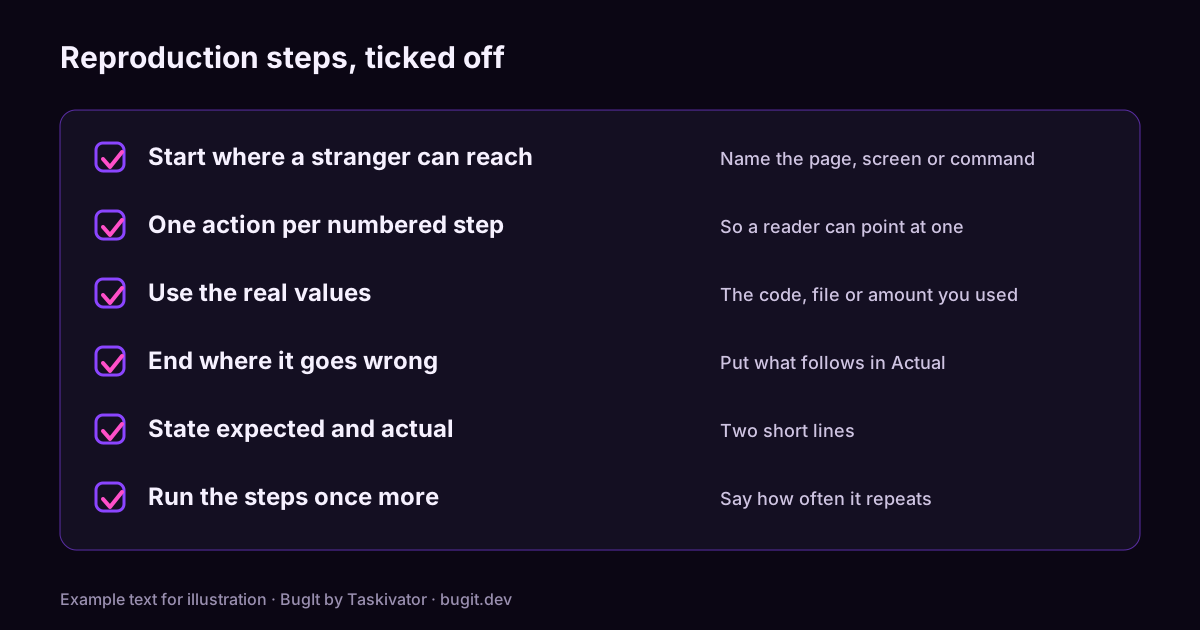
The checklist
Read each line and ask whether your steps pass.
- They start somewhere a stranger can reach. Name the page, the screen or the command, and the account type if it matters. "Open the app" is not a starting point. "Sign in as a user without a subscription and open Settings" is.
- Each step is one action. If a step holds two actions, a reader cannot tell which one mattered. Number the steps so you can point at one.
- They use the real values. Bugs like specific inputs. Write the promo code, the file name, the amount or the setting you used, not "some value".
- They include the waits and the clicks that are easy to forget. A step like "wait for the list to load" or "close the dialog" is the one that makes the bug repeat.
- They end at the moment it goes wrong. The last step is the one where the problem shows. Everything after it belongs in Actual.
- They say what you expected and what happened. Two short lines, one for each, including the message shown.
- They name the build and the environment. The version, the platform and how often it happens. A bug that appears each time and one that appears now and then are different investigations.
- You ran them once more. Follow your own steps from a clean start. If the bug does not repeat, say so and say how often it did.
- Evidence is attached and trimmed. A short log excerpt, a cropped screenshot or a brief recording, with personal data removed.
A before and after example
Here is a set of steps that sounds fine and helps nobody.
Before
The discount does not work on annual plans. Tried it a few times.
The developer has to ask which plan, which discount, what "does not work" means and where to look. Here is the same bug with the checklist applied.
After
Steps to reproduce
1. Sign in as a user without a subscription
2. Add the Pro plan to the cart, billed monthly
3. Switch the billing period to annual
4. Apply promo code SAVE20
5. Read the order summary

Expected
20% off the annual price.

Actual
20% off the monthly price, shown as the annual total.

Environment
Production, web, build 2.14.1, happens each time.
Nothing in the second version is clever. It names the starting point, uses the real code, puts each action on its own line and ends at the step where the total is wrong.
A template to paste
Steps to reproduce
1. Where you start, and which account or setup
2. What you do, with the real values
3. What you do next
4. The step where it goes wrong

Expected
What should have happened.

Actual
What happened instead, including the message shown.

Environment
Build, platform, and how often it happens.

I ran these steps again: yes or no, and what happened.
This pairs with the full report layouts in Bug report templates for Jira, GitHub and Azure DevOps.
When the bug will not repeat
Some bugs appear now and then. Do not leave the steps out because you cannot make it happen on demand. Write the steps you followed, say how many times you tried and how many times it appeared, and add what was different when it did. Change one thing at a time, such as the account, the data or the order of the steps, and note which change made a difference. The article on reporting a bug that only happens sometimes goes deeper, and reproducing a bug from logs shows how a log can fill in steps you did not see yourself.
Where BugIt fits
Writing steps this carefully is easy to agree with and hard to do at the end of a long day. When you describe what broke in a rough sentence, BugIt turns it into numbered steps with expected and actual results, and it uses a log you paste to fill in the environment. It redacts common personal data as a best effort, so you read the draft before it is filed. You review every draft, and nothing is written to your tracker until you type FILE IT.
Learn more at bugit.dev and taskivator.com/bugit.
The takeaway
Start where a stranger can reach, number the actions, use the real values, end where it goes wrong, and run the steps once more. A minute with this checklist is the difference between a ticket that gets fixed and one that comes back with a question.