
Triage is the step between "someone filed a bug" and "someone is fixing it". Done well it takes a few minutes per ticket. Done badly it becomes a long meeting where the same tickets come back every week. This is a checklist for the first, with a meeting format at the end.
The checklist
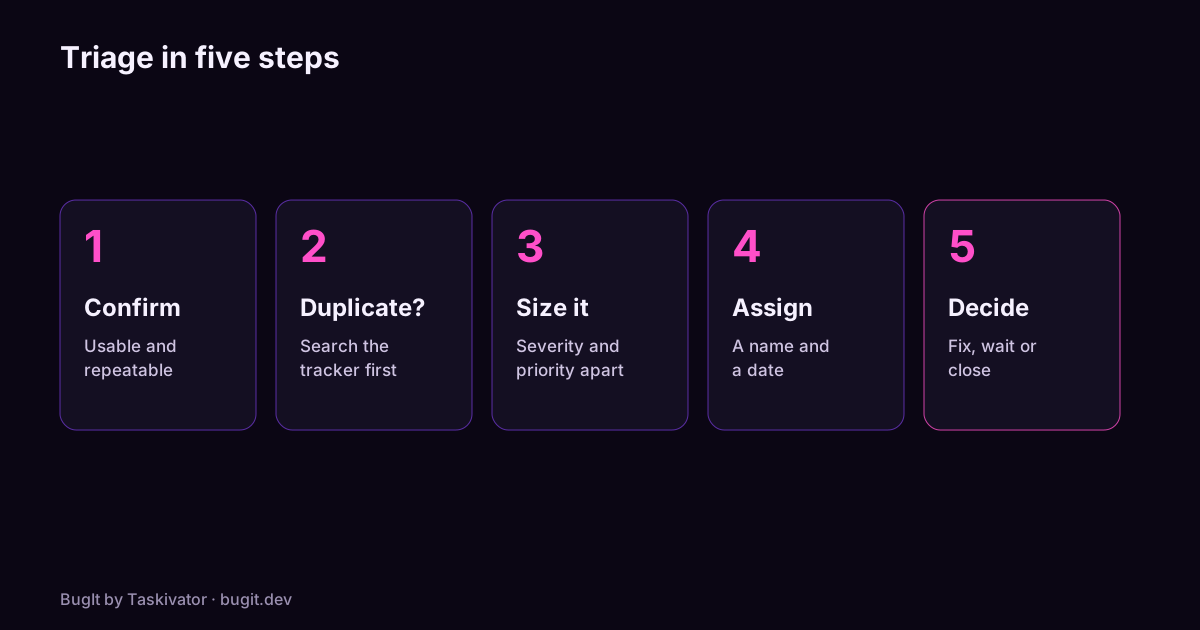
Run these in order for each new ticket. Stop at the first step that settles it.
- Is the report usable? It needs steps, expected and actual results, and the environment. If it does not have them, send it back with one specific question and a short deadline. See how to write reproduction steps.
- Can you reproduce it? Follow the steps once. If it repeats, say so in the ticket. If it does not, ask the reporter for the log or the exact data, and note how many tries you made.
- Is it a duplicate? Search the tracker for the symptom and for the error text. If there is an earlier ticket, link them and close the newer one. Searches for Jira, GitHub and Azure DevOps are ready to copy.
- What are the severity and the priority? Score the damage and the order separately. The severity vs priority matrix helps.
- Who owns it, and by when? Every ticket leaves triage with a name and a next step. If it goes to the backlog, it leaves with a date to look again.
Close the ones that should close
Triage is also where tickets end. Close a ticket, with a short reason, when:
- it works as designed, and the reason is written in the ticket;
- it cannot be reproduced after a fair try and the reporter has nothing to add;
- the version it was found on is no longer supported;
- it duplicates another ticket.
A ticket closed with a reason is easier to trust than a ticket left open for a year.
A meeting format that stays short
- Keep it to 30 minutes, at the same time each week, with the same people: someone from engineering, someone who represents the users and the person who sets priority.
- Work through new tickets only. Do not reopen the backlog.
- Spend at most three minutes per ticket. If it needs more, assign someone to find out and move on.
- Write the decision into the ticket during the meeting, not afterwards.
- End by reading out the tickets that are now at "now" priority.
Signs your triage is not working
- The same ticket is discussed in three meetings.
- Tickets with no owner are older than a week.
- Everything is "high" priority.
- Reporters stop filing because nothing seems to happen.
Where BugIt fits
A lot of triage time goes on asking for what is missing from a report. BugIt drafts the report with steps, expected and actual results and the environment before it is filed, so the ticket arrives with more of what triage needs. You review every draft, and nothing is written to your tracker until you type FILE IT.
Learn more at bugit.dev and taskivator.com/bugit.
The takeaway
Confirm, check for duplicates, size, assign, decide. Close what should close, and leave every ticket with an owner and a next step.